It has not been easy for the Lil Pro for the last few months. First, the issue of Error 56 which was eventually resolved by the iOS update and now some users are noticing that the Battery drainage might be higher, even while the iPad Pro is in a standby mode. Several users have noted battery drain around 10% overnight. Typically on a regular iPad like the mini, the stand battery drain is about 1-3%. The battery is not an issue when the iPad Pro is in use. What Gives?

Contents
Related Articles
iPad Pro 9.7 Battery Drain Issue: Solutions
The usual response, when faced with this kind of issue, is to try a restore. Some users have seen no relief having restored from the iCloud. This would suggest that your only option is to restore the device using your iTunes. Apple built the iPad Pro battery solidly. So you can rule out that your battery is having issues. Our suggestion is to only use the restore using iTunes as the last option. Here are few tips that you may want to consider before you go down the restore-tunes route.
- Sometimes the iPad Pro can consume excessive battery if there is a process in the stuck mode. Try doing a soft reset on the iPad Pro. Connect your iPad using the charging cable; press and hold the power button and home button together for 10 seconds or so till you see the Apple logo. Let the device charge unto 100% and then start using it and see if it made a difference to your situation.
- The old wives tale around Background refresh works also for the lil pro. If you are used to getting your notifications on iPhone or Apple Watch etc, you may consider switching off the background refresh for apps like Facebook, Twitter etc.
- Switch off the Data Roaming Setting – Even in older iPads, we have seen that the wi-fi/cellular settings can cause battery drain. Switching off the Data Roaming may help in addressing this issue. If you have the Wi-Fi/Cellular iPad, You can tap on Settings > Cellular Data > Toggle off. Do the same for the other cellular options i.e Cellular Data > Cellular Data Options > Enable LTE to off and Data Roaming to off. Once you have set the settings to off; next you can toggle them back to ON. This simple toggling of Cellular related options can often fix battery issues on an iPad Pro that has both Wi-Fi and Cellular.
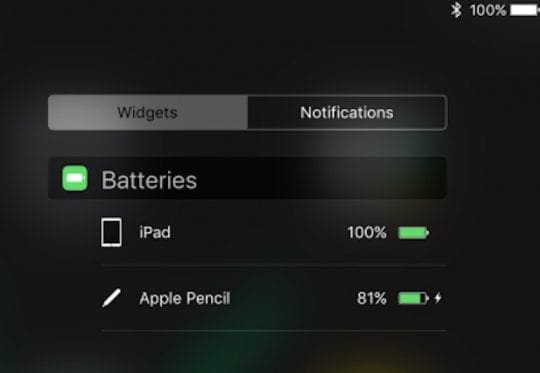
- When the iPad Pro is in sleep mode, turn off the Bluetooth. While in the Bluetooth settings, you can also unpair the Apple pencil by using “Forget this device”. This seems to have resolved battery drain issue for some users.
- Check your setting for Auto Brightness. Turning off Auto Brightness can be battery hog as well. You will get more juice out of your battery on your iPad pro by turning on the Auto Brightness setting to ON. In order to do this tap on Settings > Display and Brightness and Turn on Auto-Brightness.
- The Suspected Third party App. Sometimes a third party app can cause major battery drain issues. Some users have noted this in apps such as Tweetbot in some cases. In order to see if you might have an app that is causing this problem, Tap on Settings >Battery. Give it a minute for the battery usage by an app to populate. if you see any particular app that is at the top of the list and has battery usage that is way above the others, you may want to consider deleting this App entirely and re-install it back on your iPad Pro 9.7.
- If you are not a big fan of Spotlight Search recommendations or use it minimally, you can turn off the settings where Spotlight searches in Apps.
No Time? Check Out Our Video Tips

Summary
Currently, turning off the BlueTooth setting seems to be working for most folks that are on the iOS 9.3.2 on their iPad Pro. The option that works best for folks with iPad Pro that has wi-fi and cellular is the third option, which is to toggle off and toggle on the various cellular data options including turning off data roaming.
We hope that these tips worked for you and your iPad Pro 9.7 . We hope that these Cellular and Bluetooth related problems that cause poor battery performance resolve with the next iOS update.
Please use the comments below to share any tips that helped you deal with poor battery performance on your iPads.